Branded status page & incident reports.
Your logo, your colors, your own domain. Show live uptime and incident history, let people subscribe for updates, and answer the "is it down?" question before anyone has to ask you.
- Your logo, colors & domain
- Live uptime & incidents
- Email subscribers
- A status badge for your site
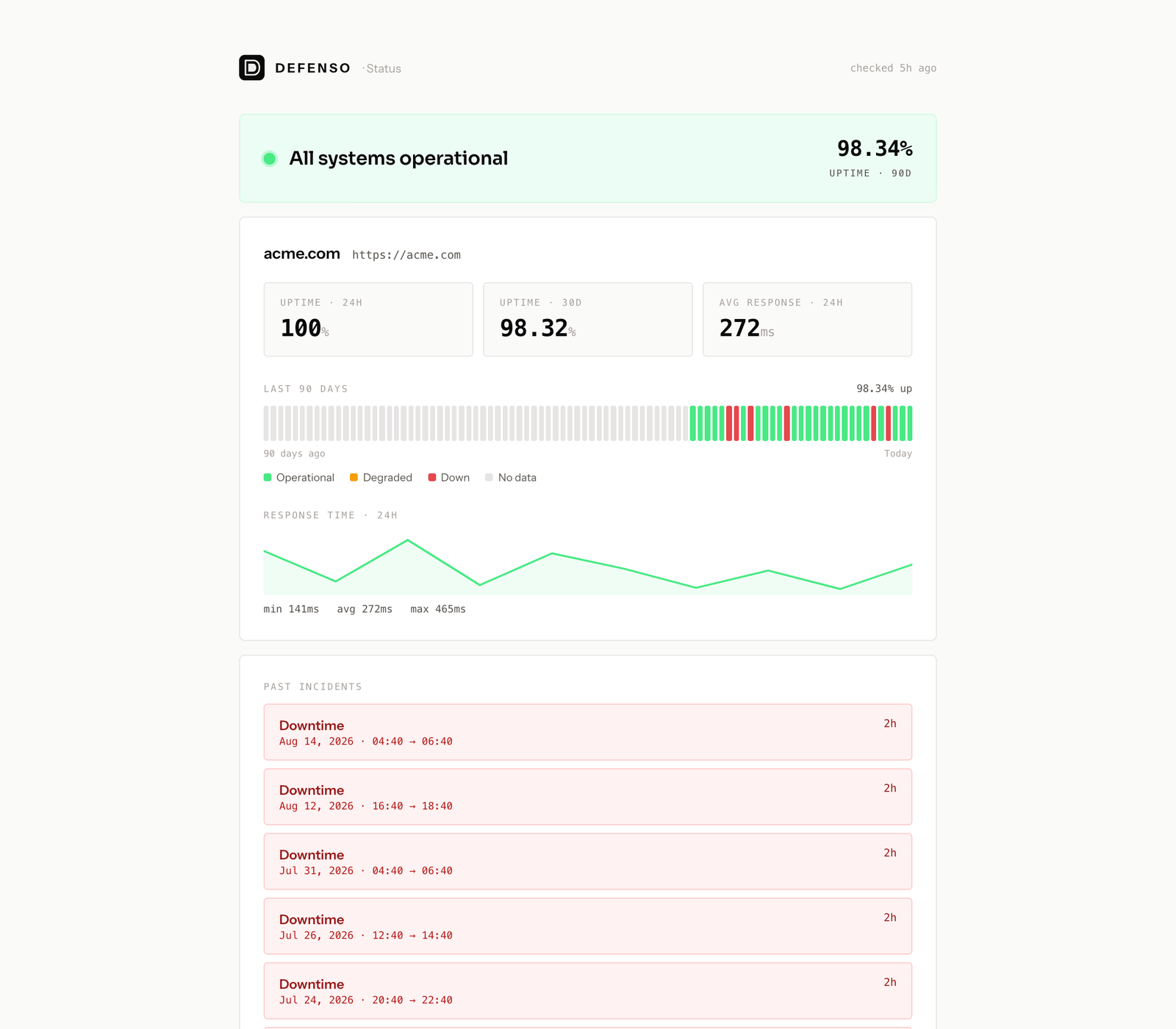
A page that looks like it belongs to you.
Every uptime monitor can power a public status page in a couple of clicks. It carries your brand, updates itself in real time, and keeps a full incident history, so trust is built automatically while you sleep.
Add your logo, pick your colors, and point status.yourdomain.com at it. Visitors see your brand, not ours, so the page reads as part of your product.
Customers subscribe by email and get a message the moment something changes. Fewer "is the site down?" tickets, and a paper trail that says you were on it.
Drop a customizable "all systems operational" badge on your own site or docs. It updates live and links back to the full status page.
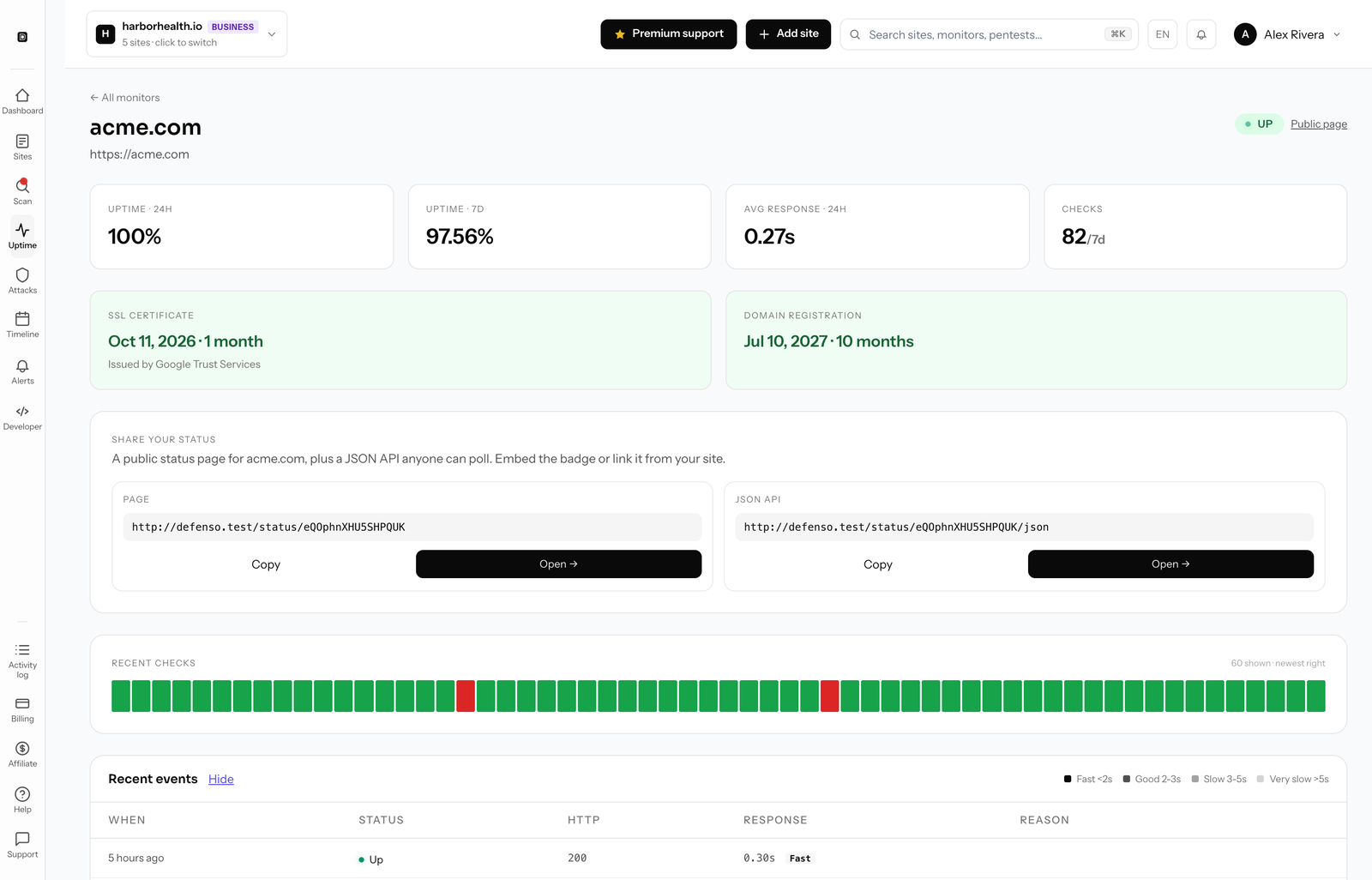
What a public status page does for you.
A status page is the public, always-on answer to "is it down?" Any uptime monitor you already run becomes a branded status page in a couple of clicks, so the trust it builds is a byproduct of monitoring you were doing anyway.
Fewer support tickets
When something breaks, customers check the page instead of opening a ticket or DMing you. A public status page absorbs the "is the site down?" wave so your inbox stays quiet during the exact moment you are busy fixing things.
Trust you can point to
A live uptime status page with real history is proof, not a promise. Prospects, partners, and enterprise buyers can see your track record before they ask, and your 90-day uptime bar does the talking.
A record of every incident
Each outage becomes an incident status page entry with a timeline: when it started, what you posted, and when it recovered. That history is searchable later and shows customers you handle problems in the open.
Subscribers hear it first
People subscribe by email and get notified the moment an incident opens or clears. You post once and everyone affected is told automatically, which turns a scramble into a routine update.
Your brand, your domain
A branded status page carries your logo and colors and lives on status.yourdomain.com. Visitors never see a third-party tool, so the page reads as a native part of your product.
Live where your users already are
Embed a live status badge in your app, footer, or docs, and expose a JSON status API for dashboards and scripts. Your real-time status shows up wherever people look instead of a page they have to remember to visit.
Everything on your status page.
A hosted status page tool usually costs extra and only shows manually posted updates. On Defenso the status page is driven by the same monitors that actually watch your site, and it is included on every plan, Free included.
| Defenso status pages | A standalone status-page tool | |
|---|---|---|
| Powered by real uptime monitoring | ✓ | Manual updates only |
| Included on the Free plan | ✓ | × |
| Your logo, colors & custom domain | ✓ | Often a paid add-on |
| Per-monitor uptime % & 90-day history | ✓ | × |
| Multi-region response times | ✓ | × |
| Incident timeline & history | ✓ | ✓ |
| Email subscribers notified on incidents | ✓ | Paid tier |
| Embeddable live status badge | ✓ | Sometimes |
| JSON status API anyone can poll | ✓ | Sometimes |
| Bundled with WAF & alerting | ✓ | × |
One monitor, one status page.
There is no separate product to buy or wire up. Turn a monitor on, flip the status page live, and share the link.
Every check that powers your uptime monitoring also feeds your public status page. Each monitor shows its current state, its rolling uptime percentage, response times from multiple regions, and a 90-day history bar, so visitors see a real uptime status page instead of a hand-edited "all good" message. When a monitor goes down, an incident opens automatically and lands on your incident status page with a live timeline.
Subscribers get an email the instant an incident opens or clears, and you can post your own updates as you work through it. Drop the embeddable status badge on your own site or docs for an at-a-glance "all systems operational" signal, or poll the JSON status API from a dashboard or script. The same alerts that drive the page also reach your phone through the monitor app, so you hear about an outage before your customers refresh the page.
Because the status page rides on top of monitoring you already run, it stays honest on its own. Pair it with the managed WAF to protect the site behind it, and see the full breakdown on pricing where the branded status page is included on every plan, Free included.
Frequently asked questions.
Everything people ask before they start. Still unsure? We are one message away.
Yes. A branded public status page is included on every plan, Free included. Add a site, turn on a monitor, and publish the page with no upgrade required.
Yes. Add your logo and colors, then point a subdomain like status.yourdomain.com at your page so it reads as part of your product instead of a third-party tool.
Each monitor shows its current state, rolling uptime percentage, multi-region response times, and a 90-day history bar, plus an incident timeline that records every outage and recovery.
Visitors subscribe by email and are notified automatically the moment an incident opens or clears. You can also post your own updates to the incident timeline as you work.
Yes. Embed the live status badge in your app, footer, or docs, or poll the JSON status API from a dashboard or script to surface real-time status anywhere.
No. The status page is powered by the same uptime monitors you run in Defenso, so there is nothing extra to buy or wire up.
Publish your status page in minutes.
Free to start. Add a site, turn on the monitor, and share a hosted status page your customers actually trust.