Security MCP Server for AI code editors.
The MCP server and Agentic Skills give Claude Code, Cursor and Windsurf real security powers: they guide your AI to write secure code, stop bad practices, catch exposed keys, and scan, explain and fix, without leaving the editor.
- Guides AI to secure code
- Catches exposed keys
- Scan, explain & fix in-editor
- Read-only by default


Your AI writes code. Defenso keeps it safe.
Vibe-coded apps break in predictable ways: a service key in the client bundle, SQL built by string concatenation, a login route with no rate limit. The Skills and MCP tools know these patterns and step in as your AI works, so the fix happens before the code ships.
The Agentic Skills sit alongside Claude, Cursor and Windsurf and nudge them toward safe patterns, flag bad practices as they appear, and catch the exposed keys and common vibe-coding mistakes before they reach your repo.
Ask your assistant to scan a URL, review the code you just wrote, or explain a firewall verdict. Every tool returns structured data, so the AI reasons over facts instead of guessing, and hands you a real fix.
The MCP tools are read-only by default and scoped to your API key, so your assistant can look and advise without touching your protection. Enterprise-grade checks, none of the risk.
The mistakes it catches before they ship.
The classic AI-codegen slips, caught right in your editor.
Server key on the client
A Supabase service_role or admin key shipped in the browser bundle instead of staying server-side.
Hand-built SQL
User input concatenated into a query. Flagged before it becomes an injection hole.
Committed secrets
A real API key or .env pasted into the code, caught the moment it appears.
Missing input validation
A request body trusted as-is. The Skill points out what to validate.
Server key on the client
A Supabase service_role or admin key shipped in the browser bundle instead of staying server-side.
Hand-built SQL
User input concatenated into a query. Flagged before it becomes an injection hole.
Committed secrets
A real API key or .env pasted into the code, caught the moment it appears.
Missing input validation
A request body trusted as-is. The Skill points out what to validate.
No rate limit on auth
A login route with no cap, wide open to brute force.
Prompt injection risk
An AI agent that hands over data when an attacker asks the right way.
Unguarded routes
A route shipped with no login check, the vibe-coder classic.
Dangerous defaults
Debug mode on for production, or permissive CORS left wide open.
No rate limit on auth
A login route with no cap, wide open to brute force.
Prompt injection risk
An AI agent that hands over data when an attacker asks the right way.
Unguarded routes
A route shipped with no login check, the vibe-coder classic.
Dangerous defaults
Debug mode on for production, or permissive CORS left wide open.
Every tool your AI editor gets on install.
The security MCP server exposes one clean set of MCP security tools to Claude Code, Cursor, Windsurf and VS Code. Three run keyless with no account, the rest unlock the moment you add an API key.
Free, keyless tools
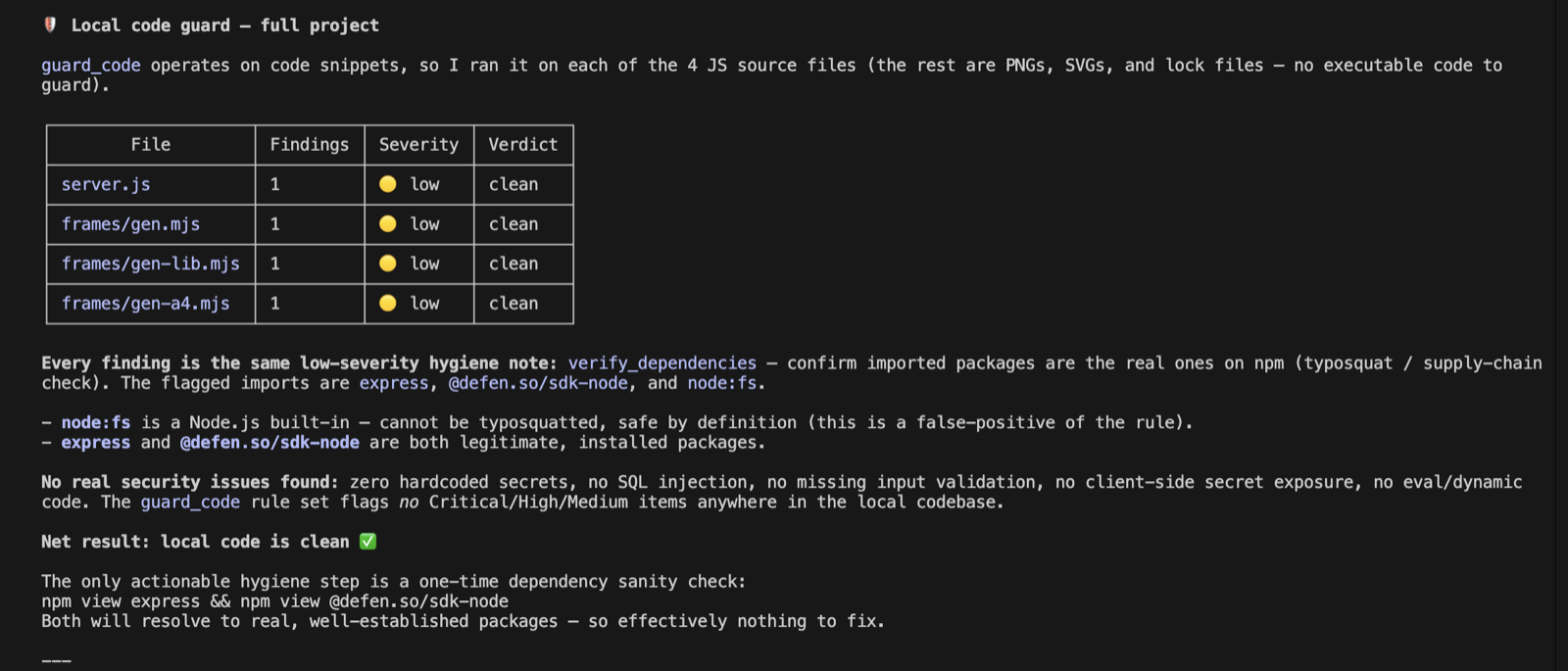
Three tools work with no account, IP-rate-limited so you can try them immediately: guard_code reviews a snippet for security bugs, check_headers grades a live URL, and check_s3_bucket tests a bucket for public exposure. Good enough to prove the value inside your editor before you sign up.
Authed read tools
Add a key and your AI gains scan_domain, run_vibe_scan, scan_repo, list_sites, list_monitors, list_recent_attacks and explain_verdict. Every call returns structured data, so the assistant reasons over real facts instead of guessing. scan_repo also flags unused dependencies and inert MCP servers — packages and tools you declared but never call, which still compile, still ship, and still add attack surface — each with a fix you can apply.
Pro action tools
When you are ready to act, add_waf_rule and block_ip let the AI change your protection, always behind an explicit confirmation. Preferences live in get_security_preferences and set_security_preferences so the guidance matches your stack.
Reactive guard_code vs a linter.
A linter runs after you save and flags style. The MCP tools sit in the loop while your AI writes, which is where secure vibe coding actually happens.
| Capability | Defenso MCP | Editor linter | SAST scan on CI |
|---|---|---|---|
| Guides the AI as it writes code | ✓ | × | × |
| Catches exposed keys and .env secrets | ✓ | × | Sometimes |
| Flags insecure config and dangerous defaults | ✓ | Partial | ✓ |
| Detects vulnerable dependencies | ✓ | × | ✓ |
| Scans a live URL and its headers | ✓ | × | × |
| Explains a real firewall verdict | ✓ | × | × |
| Runs inside Claude Code, Cursor and Windsurf | ✓ | Partial | × |
| Works before the code is ever committed | ✓ | ✓ | × |
From editor prompt to fixed code.
No context switch, no separate dashboard. You ask, the AI calls the tool, and the fix lands in the file you are already looking at.
Install takes one line. Run npx @defen.so/mcp or drop the server into ~/.claude/mcp.json, and your editor picks up the MCP security tools on the next launch. The Agentic Skills load alongside them, so the assistant knows when to reach for a scan, how to read the result, and what a safe fix looks like. That is the difference between an AI that writes plausible code and one that writes AI code security you can ship.
Because the tools return structured facts, the assistant stops hallucinating security advice. Ask it to review the route you just wrote and it calls run_vibe_scan; paste a bucket URL and it calls check_s3_bucket; wonder why a request was blocked and it calls explain_verdict. This is what real Cursor security and Claude Code security look like: the model advises from your actual configuration, not from a guess.
The same account powers the rest of the platform. Point the AI at a repository with our online repo security scanner, drop the runtime security SDK into your app for a live web application firewall, and wire everything together from the integrations page. The MCP server is included on every plan, so it costs nothing to start, and it scales up when you do. See the full breakdown on pricing.
Frequently asked questions.
Everything people ask before they start. Still unsure? We are one message away.
It is a Model Context Protocol server that gives your AI editor real security tools. Instead of guessing, Claude Code, Cursor, Windsurf and VS Code can call @defen.so/mcp to scan a domain, grade headers, check a bucket, review your code and explain a firewall verdict, then act on the result.
Any MCP-capable editor: Claude Code, Cursor, Windsurf and VS Code. The Agentic Skills load alongside the tools and guide the AI toward secure patterns as it writes.
No. Three tools are keyless and IP-rate-limited: guard_code, check_headers and check_s3_bucket. Add an API key to unlock domain and repo scans, site and monitor listings, attack logs and the Pro action tools.
One line. Run npx @defen.so/mcp or add the server to ~/.claude/mcp.json with your token, then restart the editor. The tools and Skills are available on the next launch.
Only with the Pro action tools, and only behind an explicit confirmation. add_waf_rule and block_ip ask before they act; every other tool is read-only and scoped to your API key.
Yes. It is included on every plan, including Free, at no extra cost. Paid plans raise the scan and rule limits, but the tools themselves ship to everyone.
Arm your AI editor in one line.
Free to start, no card needed. Add the MCP server and Skills and your assistant gets real security powers in seconds.