Best alternative to UptimeRobot, meet Defenso.
UptimeRobot pings your site and tells you when it drops. Defenso keeps that simple uptime check and puts a managed firewall, pentest and phone-app alarm right next to it, so you are not watching your site from five dashboards.
Why teams pick Defenso over UptimeRobot.
UptimeRobot earned its reputation the honest way: it does one thing, it does it cheaply, and it has been pinging websites for people since long before uptime monitoring was fashionable. If all you need is a five-minute HTTP check and an email when a page stops responding, UptimeRobot is a perfectly good tool and its generous free tier is why so many indie developers start there.
The reason people look for a UptimeRobot alternative is rarely the pings themselves. It is that a dead page is only one way a site fails you. An injection attempt, a leaked API key in your repo, or an expired certificate never shows up in a "200 OK" check. Defenso keeps the exact uptime monitoring you rely on, with real multi-region confirmation so you are not paged over one flaky vantage point, and puts a managed firewall, a pentest and a phone alarm in the same account. Same green dot, far less blind spot.
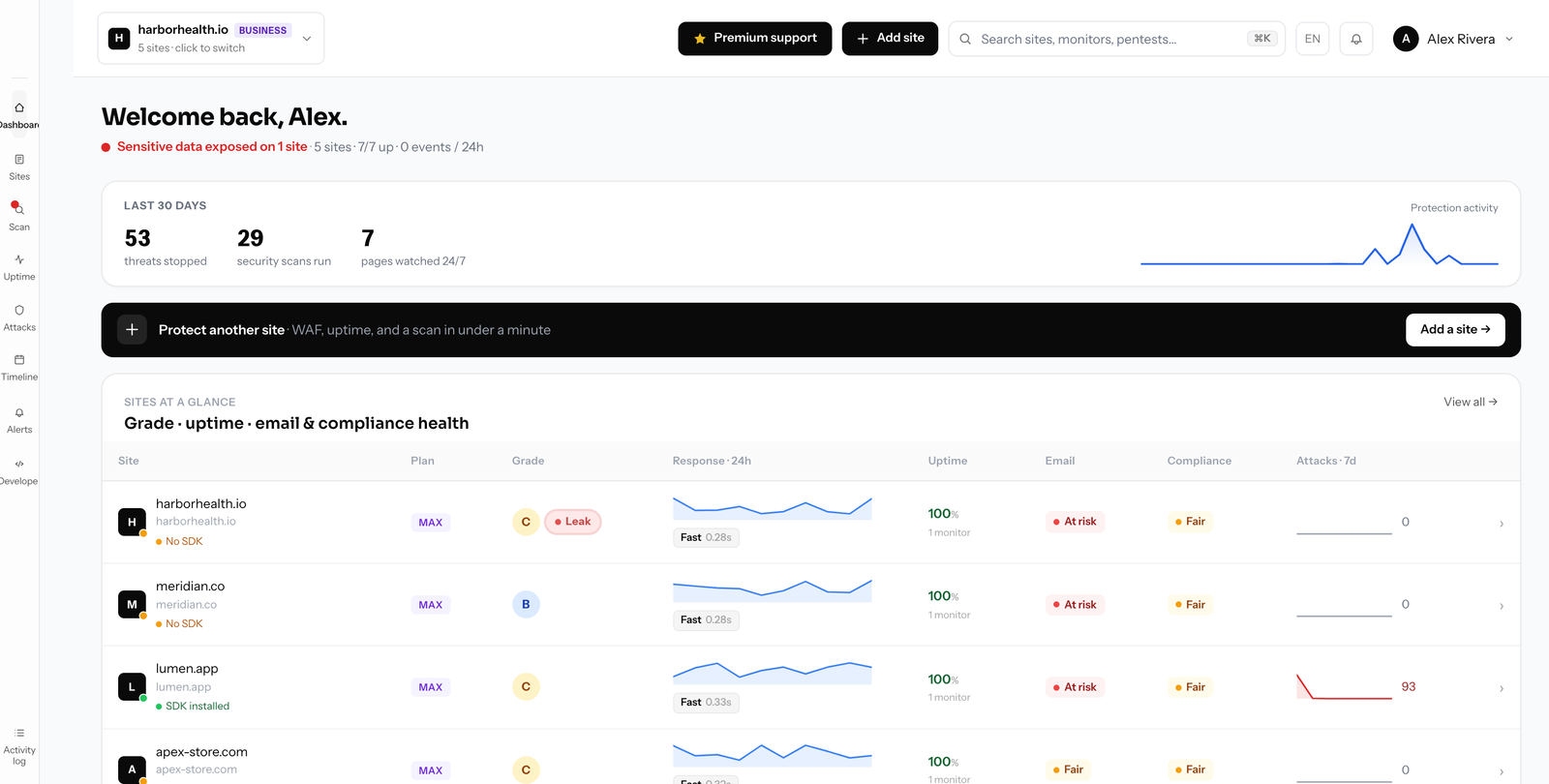
Switching from UptimeRobot to Defenso.
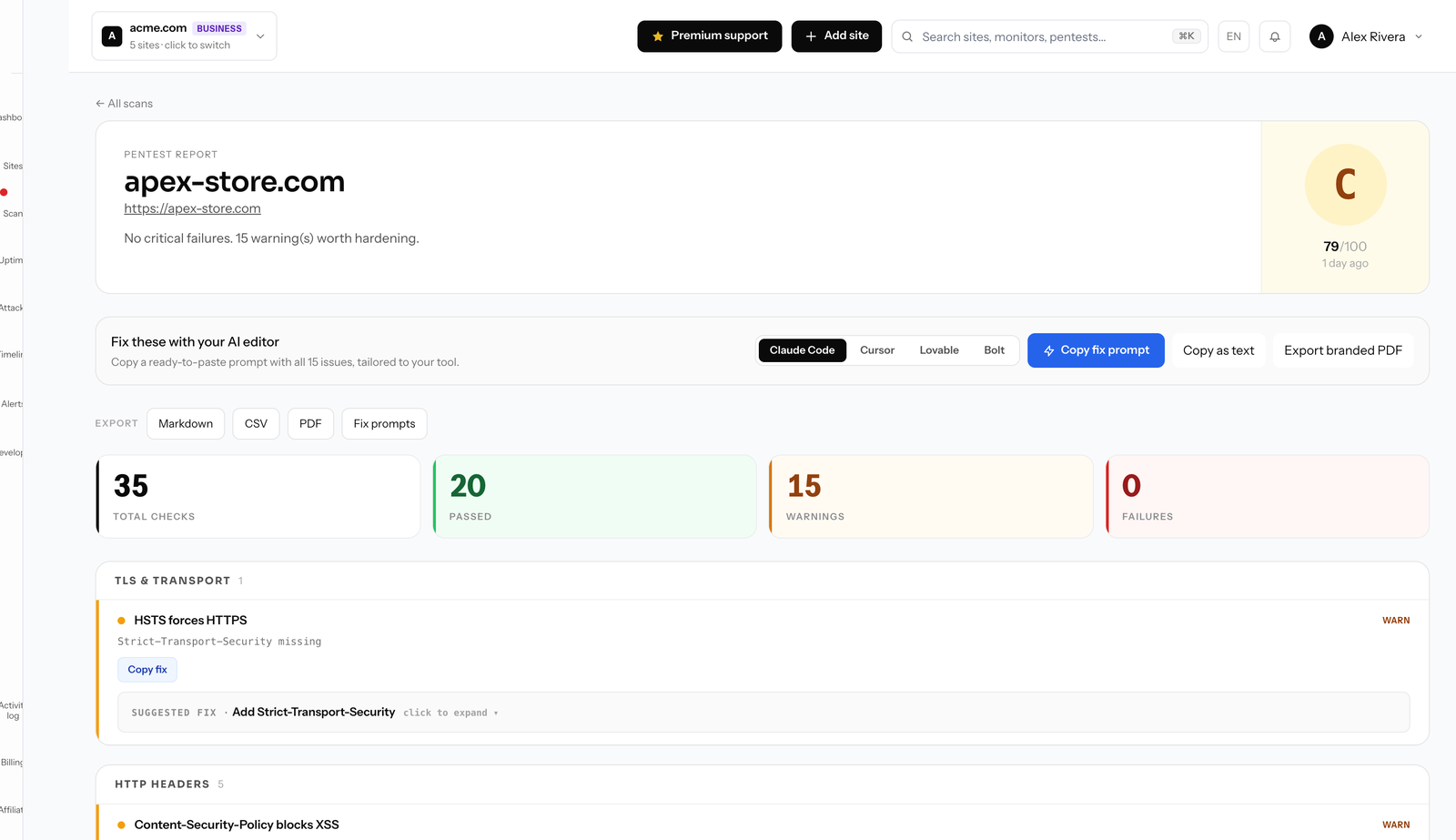
Switch and you keep everything UptimeRobot gave you: HTTP and keyword checks, SSL and domain expiry alerts, and a public status page your users can trust. Defenso confirms an outage from more than one region before it wakes you, so a single blip in one datacenter does not become a false alarm at 3am. If uptime is the whole job today, nothing about that job gets worse.
What you gain is the rest of the picture. A one-line SDK turns on a managed WAF that blocks SQL injection, XSS, bad bots and abusive traffic while it fails open, so your app keeps serving even if Defenso ever has a bad day. A free monthly pentest and an online security scanner tell you what an attacker would find before they find it, and repo secret scanning catches the credential you pasted into a commit. When something real breaks, the phone-app alarm rings through Do Not Disturb like a phone call, not a notification you sleep through.
Migration is genuinely a five-minute job. There is nothing to install to start watching a site, you add the domain and monitoring begins, and the free tier needs no card. Turn on the firewall when you are ready by dropping in the SDK. Yearly billing runs about 25% under monthly if you decide to stay.
Compare Defenso with the rest.
How to switch from UptimeRobot without a monitoring gap.
Migrating off UptimeRobot is a five-minute job, not a project. You keep UptimeRobot live while you set Defenso up, move your sites and alerts across, switch on the WAF and pentest UptimeRobot never offered, and only then cancel. Here is the exact order.
-
01
Keep UptimeRobot running while you set up
No rip-and-replace. Create a free Defenso account and add your sites there first, and UptimeRobot stays live the whole time, so there is never a monitoring gap during the move.
-
02
Add your sites and endpoints
Point Defenso at the same URLs, domains and API endpoints you watch in UptimeRobot. Uptime checks, SSL and domain-expiry monitoring and a public status page turn on the moment a site is added: no agent to install, no DNS change.
-
03
Wire up the alerts you already use
Connect email, Slack, Discord, Telegram or a signed webhook, and install the Defenso Alerts phone app. The call-style Alarm level rings through silent mode and Do Not Disturb for the 3am outage you cannot sleep through, something UptimeRobot cannot do.
-
04
Turn on the security UptimeRobot does not have
This is the real upgrade: a managed WAF in one SDK line, a scheduled pentest that grades your site A–F, repo and secret scanning, and active deception, all in the same account, at no extra vendor. Monitoring and security stop being two bills.
-
05
Run both for a cycle, then cancel UptimeRobot
Watch the two side by side for a billing cycle. Once you trust the Defenso alerts and grades, cancel UptimeRobot and consolidate. Most teams find they were paying for uptime and still had no security layer at all.
Frequently asked questions.
Everything people ask before they switch from UptimeRobot. Still unsure? We are one message away.
Yes. Defenso does the same uptime monitoring, SSL and domain expiry alerts and public status pages UptimeRobot is known for, then adds a managed firewall, pentest and repo scanning so a "200 OK" is no longer your only signal of health.
In minutes. There is nothing to install to start monitoring. You add your domain, checks begin from multiple regions, and you can point alerts at email, Slack, Telegram or the phone-app alarm. No export or import step is required.
Yes, and it confirms an outage from more than one vantage point before it pages you, which cuts the false alarms you get when a single region has a hiccup. It also watches SSL and domain expiry so a lapsed certificate does not surprise you.
There is, with no card required. The free tier covers uptime monitoring, a status page, basic managed WAF and a monthly surface pentest. Paid plans add faster checks, deep pentests and repo scanning, and yearly billing is roughly 25% cheaper than monthly.
Get more than monitoring, for free.
No card, no install. Add a site and get uptime, a managed firewall, a pentest and a phone alarm in one account.